🏬Supersize Online Funeral Retailer🪦1000's of Headstones⚱️Over 10,000 Cremation Urns⚰️Caskets Overnight Delivery🛒Funeral & Memorial Superstore🚚FREE Shipping on ALL Orders👨👩👧👦Helping Families for over 20 Years💰Lowest Price Guarantee🏬Supersize Online Funeral Retailer🪦1000's of Headstones⚱️Over 10,000 Cremation Urns⚰️Caskets Overnight Delivery🛒Funeral & Memorial Superstore🚚FREE Shipping on ALL Orders👨👩👧👦Helping Families for over 20 Years💰Lowest Price Guarantee
🏬Supersize Online Funeral Retailer🪦1000's of Headstones⚱️Over 10,000 Cremation Urns⚰️Caskets Overnight Delivery🛒Funeral & Memorial Superstore🚚FREE Shipping on ALL Orders👨👩👧👦Helping Families for over 20 Years💰Lowest Price Guarantee🏬Supersize Online Funeral Retailer🪦1000's of Headstones⚱️Over 10,000 Cremation Urns⚰️Caskets Overnight Delivery🛒Funeral & Memorial Superstore🚚FREE Shipping on ALL Orders👨👩👧👦Helping Families for over 20 Years💰Lowest Price Guarantee
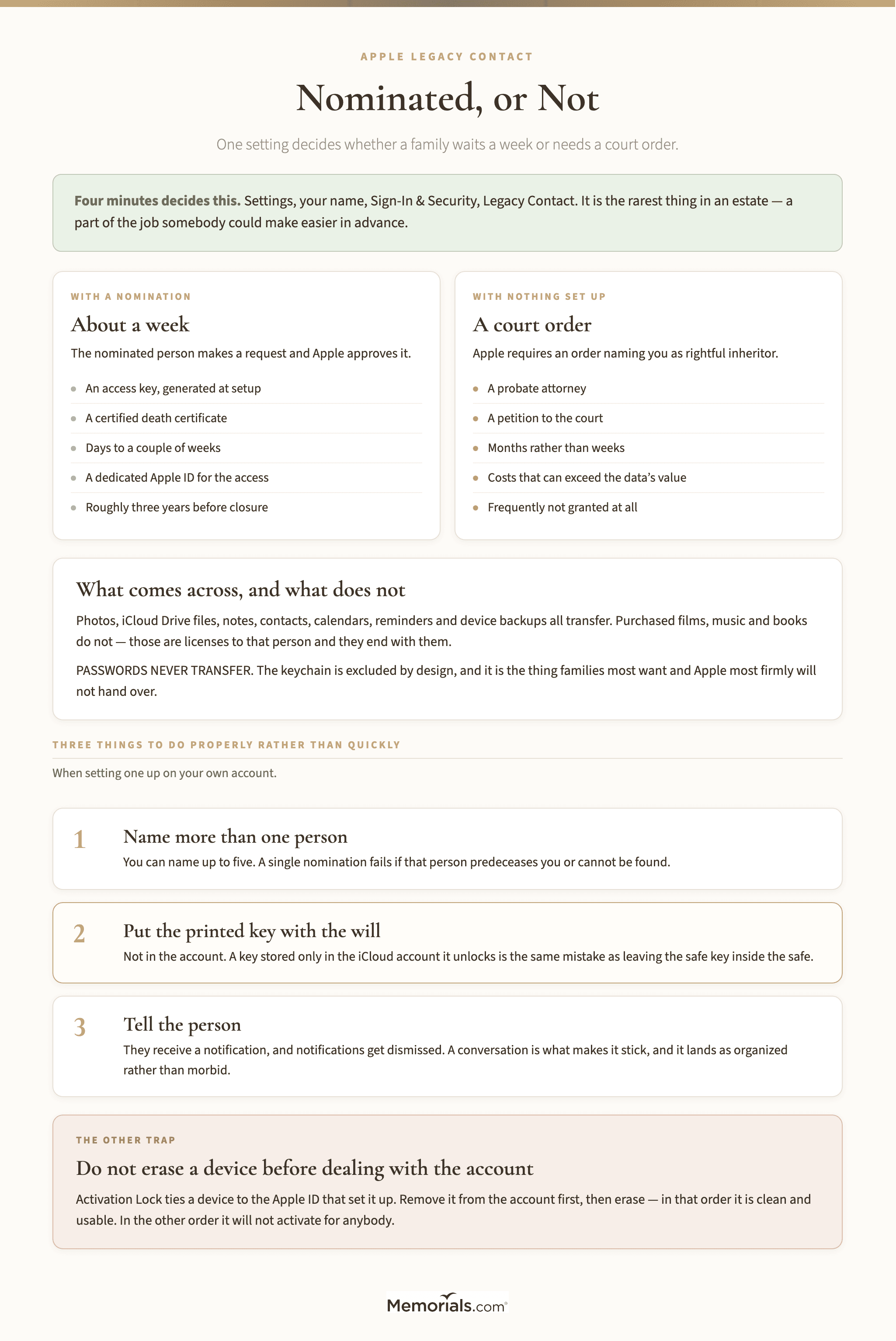
An Apple Legacy Contact is a person nominated in advance to receive access to an Apple account after its owner dies. Whether one was set up is the single biggest fork in this whole process: with a nomination, a family gets the photos in about a week. Without one, they need a court order.
Nothing else about it comes close in consequence, and it takes about four minutes to arrange.
Searching for legacy contact Apple support material turns up several names for one thing — digital legacy, legacy contact, and iCloud legacy contact all describe the same setting. It lets an account holder name up to five people. On their death, a nominated person can request access to the account's data — photos, notes, documents, messages, contacts, backups, and files in iCloud Drive.
What comes across: the stored data. Photos and videos in iCloud Photos, iCloud Drive files, notes, contacts, calendars, reminders, and device backups.
What does not: anything licensed rather than owned. A legacy Apple ID inherits data, not purchases. Purchased films, music and books are licenses to that person and they end with them. Payment methods and subscriptions do not transfer, and neither do passwords stored in the account's keychain — which is deliberate and is the single most common surprise. The keychain is the thing families most want and the thing Apple most firmly will not hand over. None of this is an Apple peculiarity: an Amazon deceased customer account ends a Kindle library the same way, and for the same reason.
The account itself is eventually deleted. Legacy access is a window, not an inheritance. Apple keeps the account open for a period after access is granted — currently about three years — and then closes it. Download what matters rather than treating it as permanent storage.
If You Have Been Named
Two things are needed, and the first one catches people out because it is a physical object.
The access key. A legacy contact access key is generated when the nomination is made. It is a long code, usually saved as a PDF or printed, and Apple deliberately does not store a copy you can retrieve later. It may be in a drawer, in a password manager, in an email, or attached to a will — the person who set it up chose where it went.
A death certificate. Apple will want a certified copy showing the account holder's name and date of death. This is one from the stack in how many death certificates you need.
With both, you make a request from an Apple device or through Apple's digital legacy request page. Approval typically takes a few days to a couple of weeks, after which you get a dedicated Apple ID for the legacy access and can download the data.
Lost the access key? This is where it gets difficult. Apple treats a missing key roughly the same as never having been nominated, which means the court-order route below. Search hard before concluding it is gone — the PDF is frequently in an email the person sent themselves.
The access key is a physical thing — a PDF or a printout. Apple does not keep a copy for you to retrieve later.
If Nobody Was Named
This is the common case, because the feature is recent and most people have never opened the setting.
Dealing with an Apple ID after death without a legacy contact means requesting access through a legal process. Apple's stated requirement is a court order naming you as the rightful inheritor of the account holder's personal information and directing Apple to provide assistance.
What that means in practice: a probate attorney, a petition to the court, and an order specific enough that Apple's legal team accepts it. Families report timelines in months rather than weeks, and costs that can exceed what the data is worth in anything but sentimental terms — which, with a decade of family photographs, is often exactly the point.
The route that sometimes works instead. If you have the device and you know the passcode, an iPhone or iPad that is still signed in remains signed in. You can open the photo library and export what you want. This is the path most families actually take, and it is worth saying plainly that it sits in a gray area: possessing the passcode is not the same as being authorized under Apple's terms. It is also the reason not to reset a device or let it run flat before you have finished with it.
Do not repeatedly guess the passcode. After enough failures a device disables itself and, depending on settings, wipes. More than one family has locked themselves out of the only copy of something irreplaceable this way.
A request for an Apple ID deceased closure, as opposed to access, is much simpler. If you want the account closed rather than its contents, Apple will do that with a death certificate and proof of authority, with no court order involved. The high bar applies to getting data out, not to shutting it down.
Setting It Up on Your Own Account
Given the gap between the two paths above, the useful thing this page can do is get you to spend four minutes on your own account tonight.
On an iPhone or iPad: open Settings, tap your name at the top, then Sign-In & Security, then Legacy Contact. On a Mac the same setting is under Apple Account in System Settings. Add a person, and choose how they receive the access key — a message, or a printed copy you keep with your will.
Three things worth doing properly rather than quickly:
Name more than one person. You can name up to five. A single nomination fails if that person predeceases you or cannot be found.
Put the printed key with the will, not in the account. A key stored only in the iCloud account it unlocks is no use to anybody. The same mistake as leaving the safe key inside the safe.
Tell the person. They will receive a notification, and notifications get dismissed. A conversation is what makes it stick, and it is a much easier conversation than most people expect — it lands as organized rather than morbid.
The equivalent on a Google account is Inactive Account Manager, and a dead man's switch is the same instinct taken further. Doing all three at one sitting takes under fifteen minutes.
Settings, your name, Sign-In & Security, Legacy Contact. Four minutes, and it removes a court order from somebody's worst year.
Four minutes in a settings menu is the whole difference between a week and a court order.
What Families Actually Want, and Whether They Get It
Worth being straight about, because expectations and outcomes diverge here more than anywhere else in an estate.
Photographs. Yes, and this is the one that works. A decade of family pictures is the single most common reason anybody starts this process, and legacy access delivers it in full. Export the originals rather than screenshots — full resolution, with the dates intact, which matters more than people realize when the library gets merged into somebody else's.
Messages. Usually yes, if the person had Messages in iCloud switched on. If they did not, the messages lived only on the device, and the device is then the only copy in existence. Another reason not to wipe anything.
Notes and documents. Yes. This is where people keep the things that turn out to matter administratively — account lists, a note headed "if anything happens", the draft of a letter.
Passwords. No. Never. The keychain is excluded and no amount of documentation changes it. If the password manager was iCloud Keychain, those credentials are gone, and every account that depended on them falls back to its own bereavement process.
Purchases. No. A large music or film library does not transfer, and there is no mechanism to buy it out or reassign it.
Health and fitness data. Generally not included, which occasionally matters where a family has questions about the circumstances of a death.
Anything on a device but never synced. Only on that device. Whether that is recoverable depends entirely on the passcode.
A useful way to think about it: legacy access returns what was in the cloud, not what was on the phone. The two overlap heavily for most people and not at all for some, and which kind of person you are dealing with is only discoverable after the fact.
Have the drive ready first. A decade of photographs can run to hundreds of gigabytes.
What About the Devices Themselves
Separate problem, and it trips families up after they have solved the account.
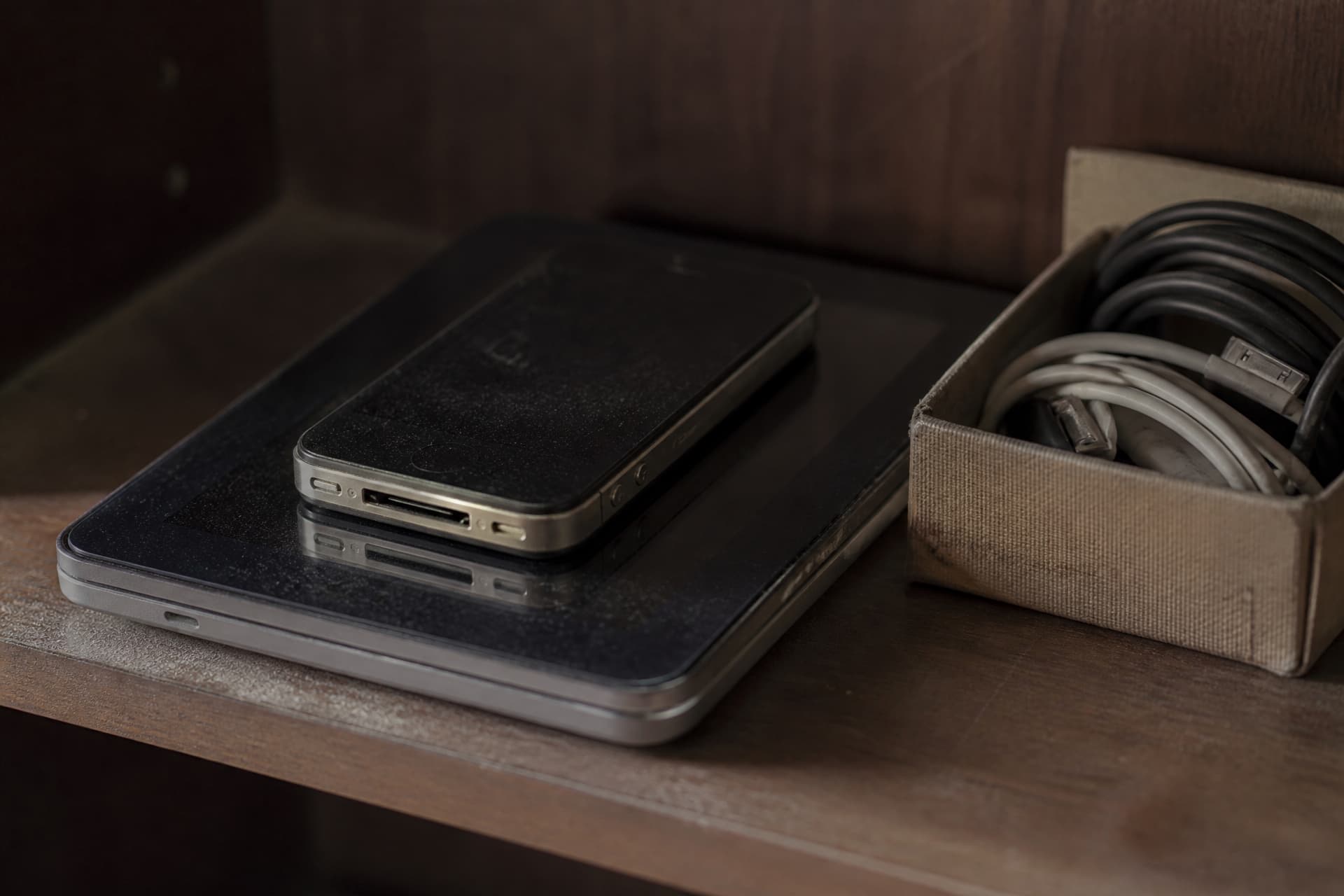
Activation Lock ties an iPhone, iPad, Mac or Watch to the Apple ID that set it up. A device that has been erased without first removing that link is unusable — it will not activate for anybody, and it cannot be sold, donated or given to a grandchild.
So do not erase a device before you have dealt with the account. Remove it from the account first, then erase. In that order the device is clean and usable; in the other order it is a paperweight.
If a device is already locked, Apple can sometimes help with proof of ownership — the original receipt, the serial number and a death certificate. Sometimes. The proof-of-purchase requirement defeats most families, since nobody keeps a receipt for a phone bought four years ago.
Access granted is not the same as data saved, and the window closes.
Do it in one sitting if you can. The request produces a download that Apple prepares and makes available for a limited period. Families who plan to "get to it at the weekend" sometimes find the link expired and have to request again.
Storage first. A decade of iCloud Photos can run to hundreds of gigabytes. Have an external drive ready rather than discovering halfway through that the laptop is full. This is the most common practical failure and the most avoidable.
Then make a second copy. One drive is not a backup, and this is the only copy of these files that will ever exist. Two drives in two places, or one drive plus a cloud account of your own.
Check what you got. Open a few files from different years before you consider it finished. A download that stopped at 60% looks identical to one that completed unless you look.
Share it while you are organized. Siblings and grandchildren will all want copies, and the moment you have everything in one place is the easiest moment there will ever be to distribute it. A shared album or a copy on a drive posted to each person beats promising to sort it out later.
Frequently Asked Questions
Does an Apple death certificate requirement apply to every request? Yes for anything involving the account — access, closure or device unlocking. A certified copy, not a photocopy.
How long does legacy access last? Currently around three years from approval, after which the account closes. Download rather than rely on it.
Can a legacy contact see the passwords? No. Keychain passwords are excluded by design, which is the answer most families least want to hear.
Can I just keep paying for the iCloud storage and leave the account alone? Many families do, and it works until the payment method expires. It is a stay of execution rather than a plan, and the storage bill is a recurring charge on a card that is being closed.
Does the legacy contact need to own an Apple device? They need one to make the request through the simplest route, and Apple's web request path covers people who do not. Naming somebody with no Apple device at all works, but it adds friction at exactly the wrong moment.
What if the person had two Apple accounts? Common with an old address still signed in on an iPad. Each is separate and each needs its own request.
Is there any way around the court order? Not officially. Apple has been consistent about this, and the pressure to hold that line is largely about the accounts of living people.
Remove the device from the account before erasing it. In the other order it is a paperweight.
In Closing
The whole of this page reduces to one sentence: whether somebody spent four minutes in a settings menu decides whether their family gets a decade of photographs in a week or after a court hearing.
If you take nothing else from it, take the four minutes on your own account. It is the rarest thing in an estate — a part of the job somebody was able to make easier in advance, and the only one where doing it now costs almost nothing.